OASIS allows users to identify a job and send a specification registration form to a factory. Although many factories have their own form, OASIS can also generate the form. Identifying a specification job in OASIS allows the user to track the job. Users can link jobs when they find or create an invoice, create a matching PO, and link a specification job to the invoice.
Flagging a Job for Specification Registration
1. Navigate to the Projects page.
2. Open the needed project.
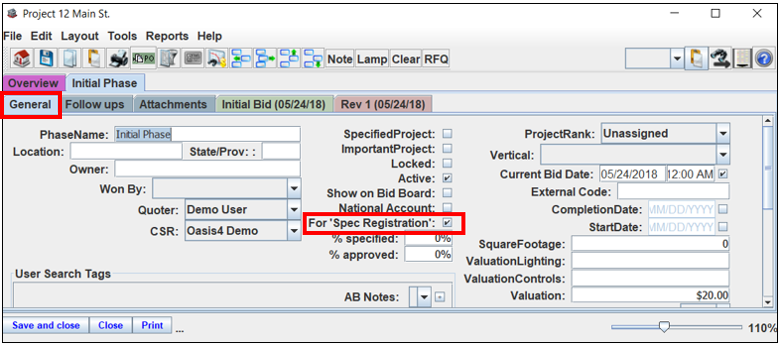
3. Select the "General" tab.
4. Check the "For Spec Registration" box. Note: the job will now show on the report. This also triggers the ability to print a specification registration form.
Reporting a Spec Registration Listing
1. Navigate to the Projects page.
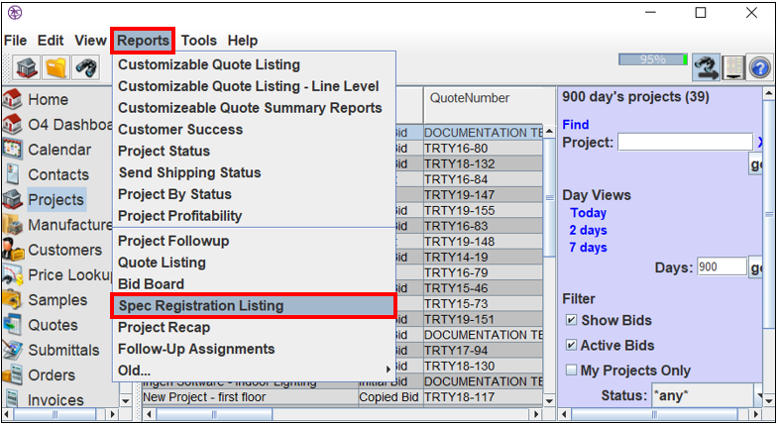
2. Select "Reports."
3. Select "Spec Registration Listing."
4. The "Spec Registration Listing" window will appear.
The General Tab
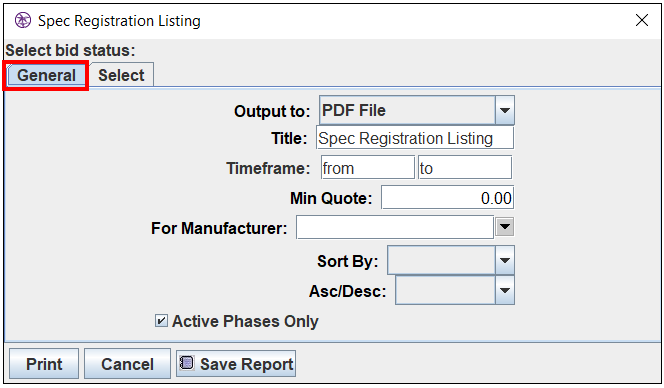
1. Use this tab to select a timeframe and any other options needed.
- Title- enter the name of the report.
- Timeframe- enter the timeframe for the report.
- For Manufacturer- enter a manufacturer to show only the selected manufacturer's portion of each quote. Note: leave this field blank if you do not wish to report by a selected manufacturer.
- Sort By- select a method of sorting the report.
- Asc/Desc- if sorting the report, select "Ascending" or "Descending."
- Active Phases Only- check this box to only show active phases.
The Select Tab
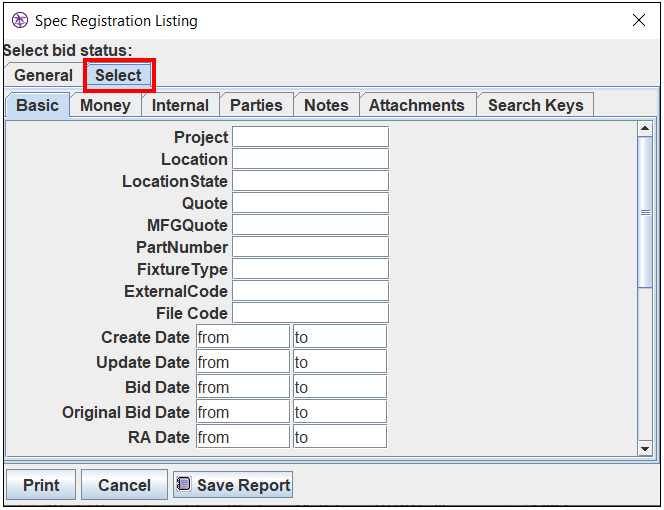
1. Use this tab to filter by additional criteria if needed.
- Basics- filter by general project information
- Money- filter by minimum dollar amounts on various price levels
- Internal- filter by internal items
- Parties- filter by parties associated with the transactions
- Notes- filter by notes and partial notes
- Attachments- filter by attachments
- Search Tags (Keys)- filter by search tags
2. Select "Print."
Comments
0 commentsPlease sign in to leave a comment.