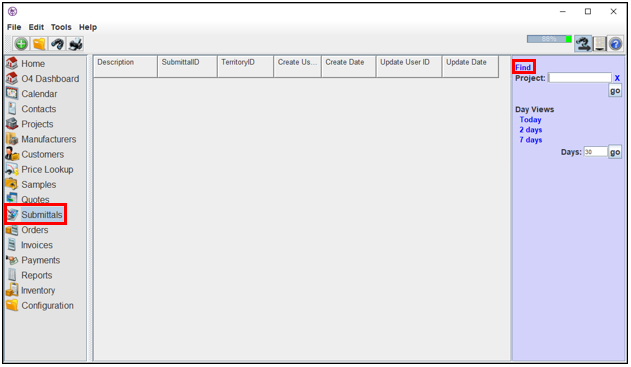
Users may conduct searches on the Submittals page by using the search bar to the right of the screen or by selecting the “Find” button. Users may search for Submittals by selecting a combination of search criteria. These criteria are sorted into two categories: Basic and Parties.
1. Navigate to the Submittals page.
2. Select the “Find” link in the search bar.
3. The “Find Submittals” window will appear.
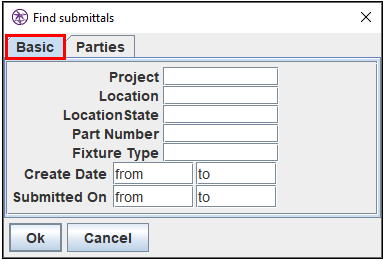
The Basic Tab
1. Use this tab to search by general submittal information.
- Project- search by project name
- Location- search by location
- LocationState- search by state
- Part Number- search by part number
- Fixture Type- search by fixture type
- Create Date- search for samples based on create date
- Submitted On- search for samples based on submitted on date
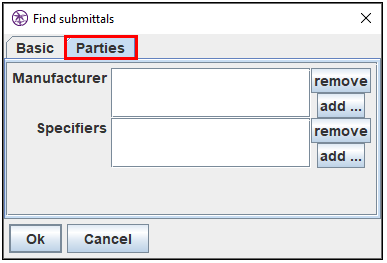
The Parties Tab
1. Use this tab to search by entities associated with the submittal.
- Manufacturer- search for submittals by the selected manufacturer
- Specifiers- search for samples by the selected customer
Comments
0 commentsPlease sign in to leave a comment.